From Day One: An Interactive New Hire Onboarding Experience
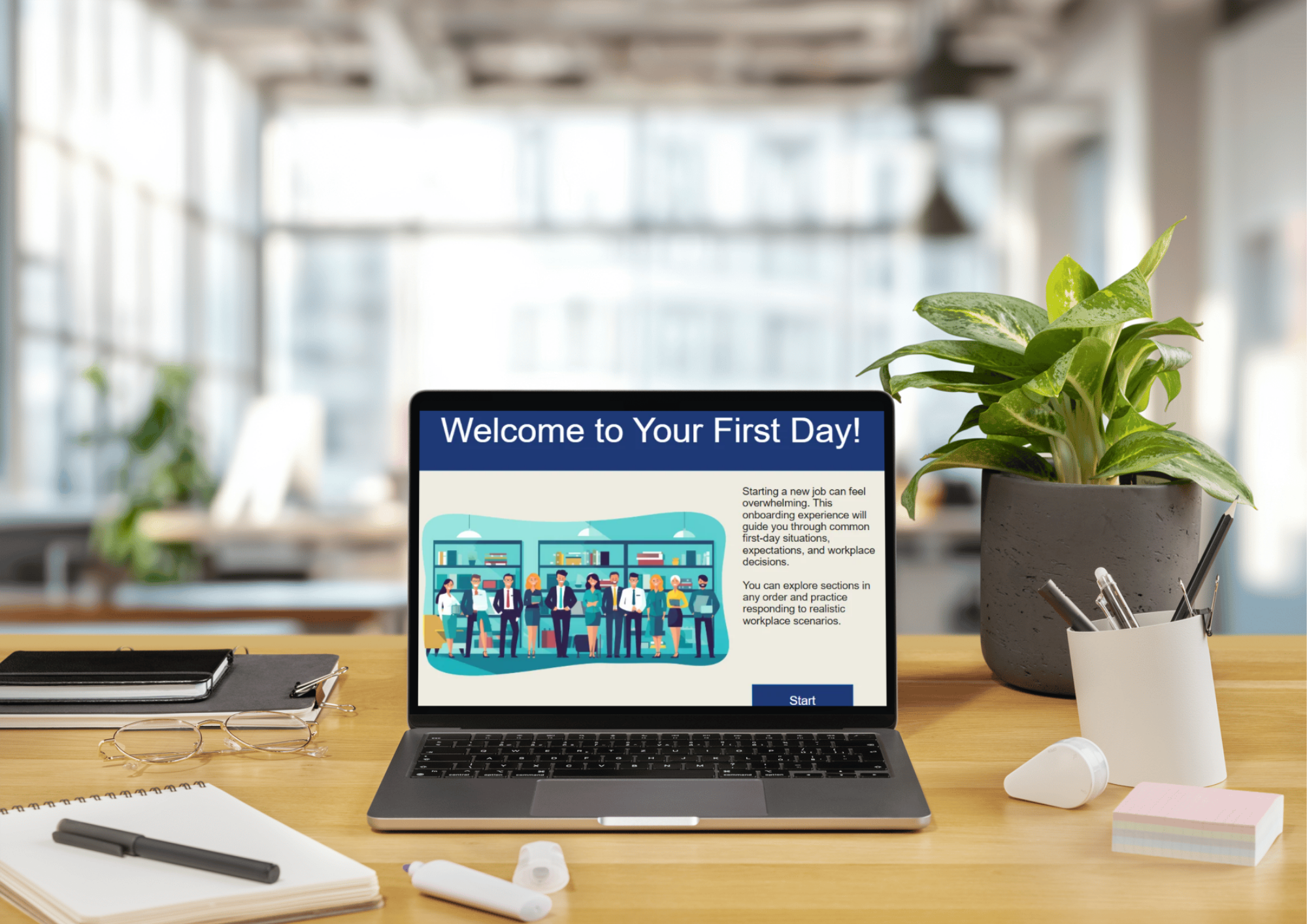
An interactive onboarding experience designed to help first-time workforce entrants and returning professionals navigate workplace expectations with confidence.
Audience
First-time workforce entrants and individuals returning to the workforce
My Role
Instructional design, content development, visual design, and e-learning development
Tools Used
Articulate Storyline 360, Freepik
The Problem
Starting a new job can be an overwhelming experience. Beyond learning their day-to-day responsibilities, new employees must navigate unfamiliar workplace expectations, understand communication norms, and learn how to handle situations they may not have encountered before.
Traditional onboarding can introduce employees to important information, but simply presenting information doesn't always give learners the opportunity to practice applying it. I wanted to create an experience that would help learners move beyond simply knowing workplace expectations to thinking about how to navigate them in real-world situations.
The Solution
I designed an interactive new hire onboarding experience using Articulate Storyline 360 to help learners build familiarity with common workplace expectations and situations.
The course combines self-directed exploration, interactive activities, and scenario-based practice to encourage learners to actively engage with the content. Through opportunities to explore workplace concepts, make decisions, and receive meaningful feedback, learners can develop a better understanding of how to navigate everyday professional situations.
The Design Process
-
01 — Learning Needs & Objectives
Identified the target audience, learning needs, and key workplace topics the experience would address.
-
02 — Content & Instructional Design
Organized the content and structured the learning experience around exploration, practice, and real-world application.
-
03 — Visual Design
Established a cohesive visual style through color choices, typography, layouts, and visual assets.
-
04 — Interactive Development
Built the experience in Articulate Storyline 360, incorporating interactive activities, workplace scenarios, and meaningful feedback.
-
05 — The Final Experience
Reviewed the course flow, navigation, and interactive elements to support a clear and intuitive learner experience.
Learning Needs and Objectives
← Process Overview Step 1 of 5
Before developing the course, I considered the needs of the intended learners and the workplace situations they might encounter when starting a new job. The goal was to create an onboarding experience that went beyond introducing workplace information and gave learners opportunities to explore expectations, practice decision-making, and build confidence navigating common professional situations.
Identifying the Learning Need
Starting a new job involves more than understanding job responsibilities. New employees must also learn how to communicate professionally, participate in meetings, understand workplace expectations, and navigate unfamiliar situations. The learning experience was designed to help bridge the gap between understanding workplace concepts and knowing how to apply them in everyday situations.
Target Audience
The course was designed for individuals entering the workforce for the first time or returning after time away. These learners may be familiar with general workplace concepts but have limited experience navigating professional expectations, communication norms, and everyday workplace situations.
Learning Objectives
By the end of this learning experience, learners will be able to:
Identify common workplace expectations.
Recognize elements of company culture.
Apply professional judgment in common workplace situations.
Demonstrate appropriate responses to first-day scenarios.
Content and Instructional Design
← Process Overview Step 2 of 5
With the learning objectives established, I began planning how the course content would be organized and presented to learners. I mapped out the learning experience, considered how learners would navigate the content, and planned opportunities for interaction and practice. Storyboards and wireframes helped establish the course structure and visualize the learner experience before development in Articulate Storyline 360.
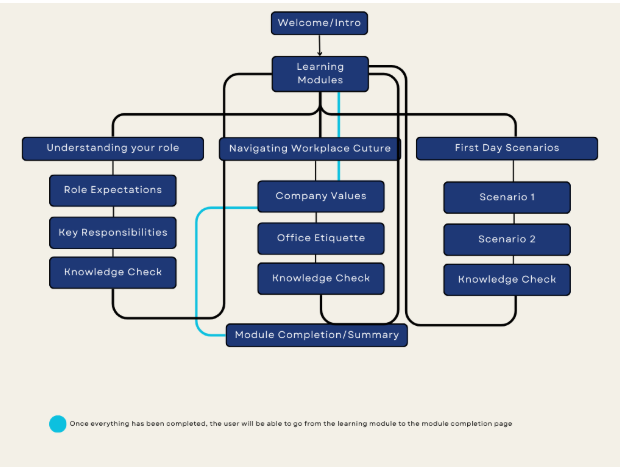
01. Course Flow and Structure
I began by mapping out the overall course structure and learner progression. The flowchart illustrates the initial organization of the learning experience, outlining the three core content areas: Understanding Your Role, Navigating Workplace Culture, and First Day Scenarios. As development progressed, the structure evolved into four sections, with a separate final knowledge check to reinforce the concepts covered throughout the course.
03. Learning Module Storyboard
I also developed storyboards to plan the content and interactions within the learning modules. These outlined how instructional content, activities, and knowledge checks would be presented, helping establish a consistent learning experience across the different sections of the course.
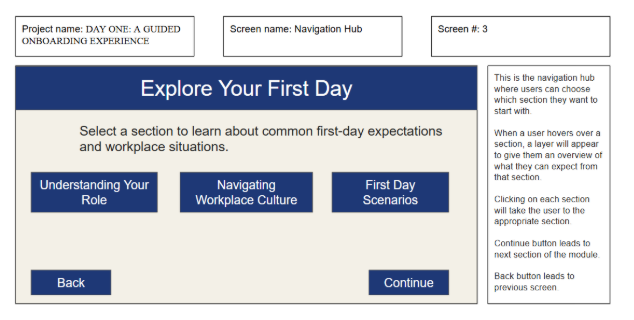
02. Main Hub Storyboard
The main hub storyboard helped establish the course's central navigation experience. I used it to plan how learners would access the different learning sections and how the content would be presented within the course. This planning stage helped define the overall layout and learner navigation before development in Storyline.
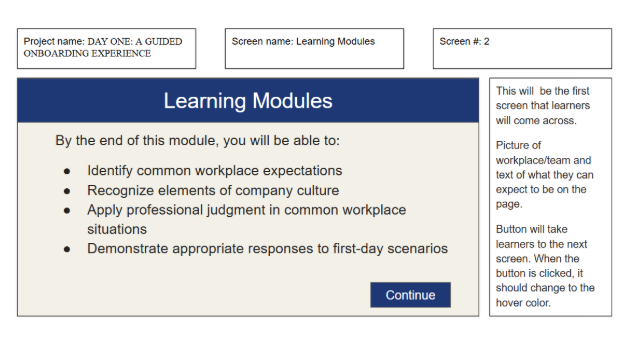
The images shown are selected excerpts from the original storyboards and represent examples of the planning and design process.
Visual Design
← Process Overview Step 3 of 5
With the course structure and instructional content established, I focused on creating a cohesive visual experience that supported the learning journey. I developed a consistent visual style through intentional color choices, typography, layouts, and visual elements. My goal was to create an interface that felt approachable and organized while helping learners navigate the content and stay engaged throughout the experience.
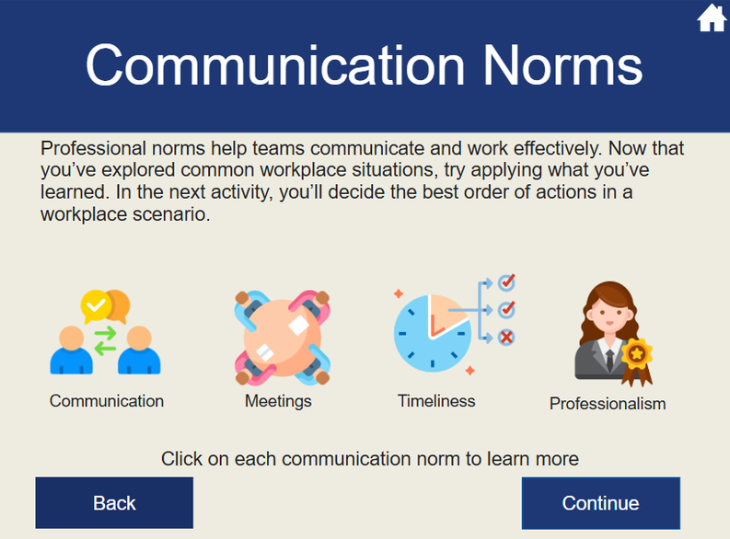
Style guide – sets fonts, colors, and visuals for consistency
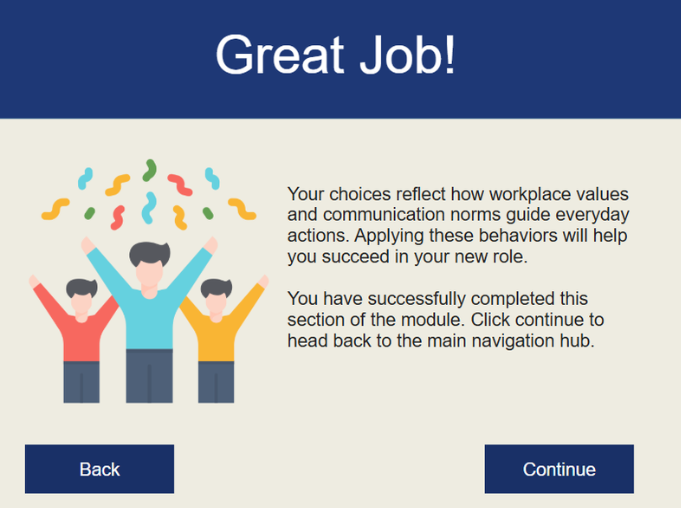
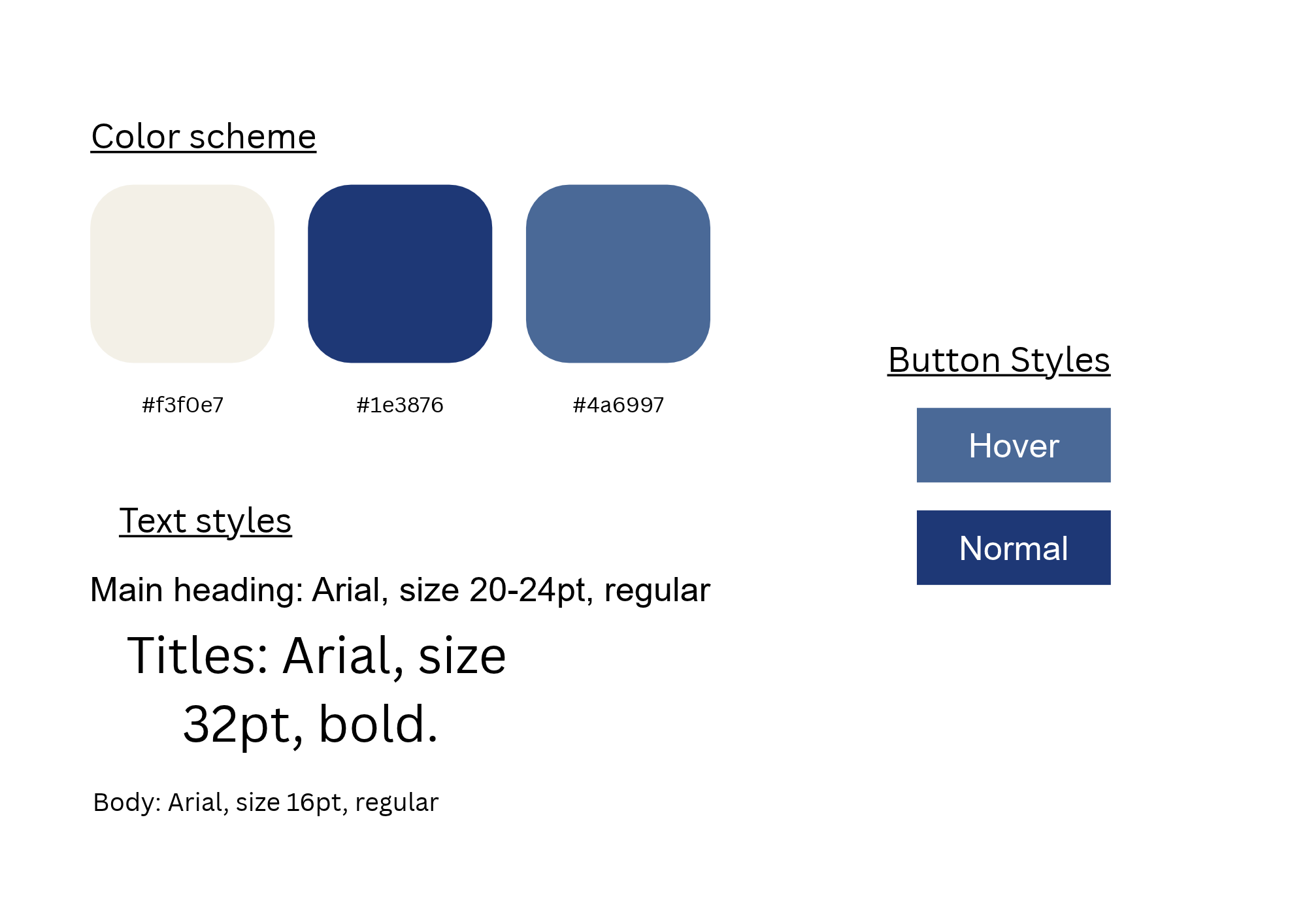
I incorporated icons and visual elements throughout the course to complement the instructional content and create a consistent visual experience. The icons helped provide visual cues, reinforce key concepts, and make the interface more engaging and approachable. I also considered how these elements worked alongside the course's color palette and overall layout to maintain visual consistency across the learning experience.
Interactive Development
← Process Overview Step 4 of 5
Using Articulate Storyline 360, I transformed the planned course structure and visual designs into an interactive learning experience. I incorporated interactive elements, navigation features, and scenario-based activities to encourage learner participation and provide opportunities to apply workplace concepts. Storyline's triggers, states, and layers allowed me to build interactive screens that supported the course objectives and learner experience.
01. Interactive Activities
To reinforce learners' understanding of understanding their role in the workplace, I developed an interactive drag-and-drop activity in Articulate Storyline 360. Learners were asked to match appropriate behaviors and practices with common workplace expectations. This activity encouraged active participation and provided an opportunity to apply the concepts introduced in the lesson.
02. Scenario-Based Learning
To help learners apply professional meeting expectations in realistic workplace situations, I developed a scenario-based activity in Articulate Storyline 360. Learners read a brief workplace scenario and choose between two possible responses. This encourages them to consider professional behavior and apply the meeting expectations introduced in the lesson.
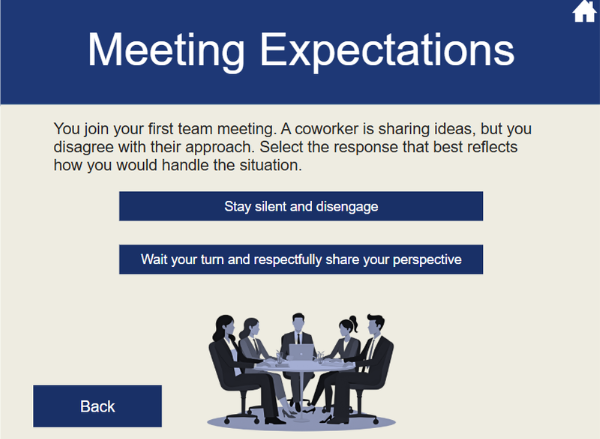
The learner reviews the situation and selects one of two responses.
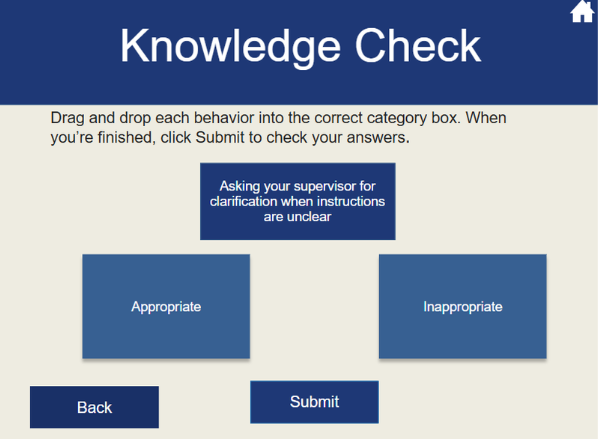
Drag-and-drop activity: Understanding your role.
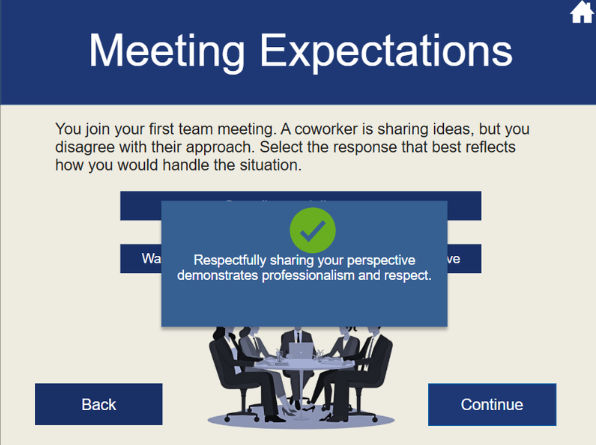
The learner sees the correct response and receives feedback.
03. Interactive Course Navigation
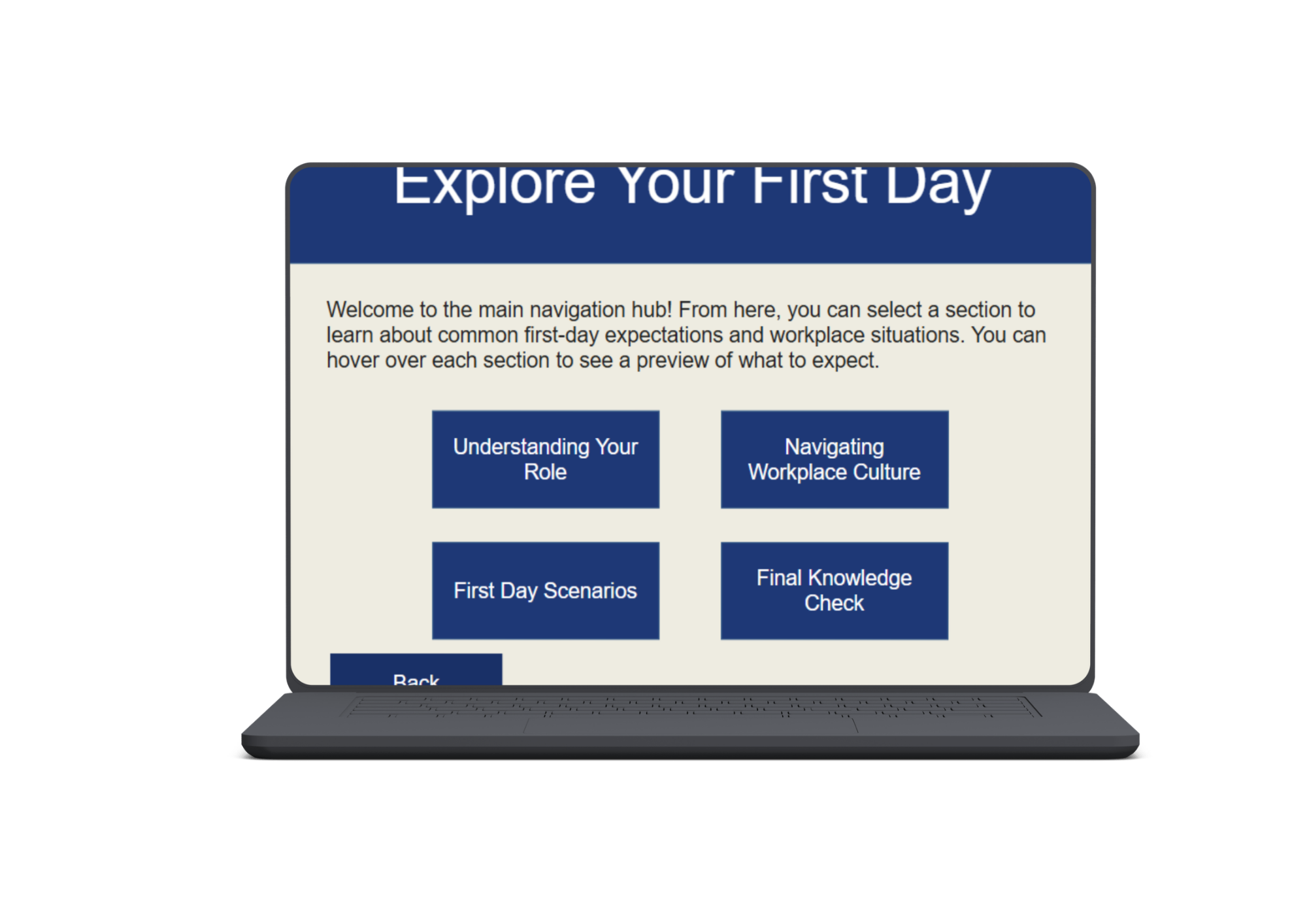
I developed an interactive main hub in Articulate Storyline 360 to help learners navigate the course and explore its different sections. When learners hover over a section, a dropdown menu reveals the topics covered within it, allowing them to preview the content before selecting where to go. This design provides a clear overview of the course structure while creating an engaging and intuitive navigation experience.
Learners hover over each section to preview its topics and explore the course content.
The Final Experience
← Process Overview Step 5 of 5
The final result is an interactive onboarding experience that brings together instructional planning, visual design, and interactive development. Through a combination of self-directed exploration, engaging activities, and scenario-based learning, the course gives learners opportunities to explore workplace expectations and practice applying what they've learned. The completed experience reflects my goal of creating an approachable, engaging, and meaningful introduction to the workplace.
Results and Takeaway
The final result is an interactive onboarding experience designed to help individuals entering the workforce navigate common workplace expectations and situations. By combining self-directed exploration, interactive activities, and scenario-based learning, the course provides learners with opportunities to engage with the content and consider how they would respond in everyday professional situations.
This project strengthened my understanding of how instructional design, visual design, and interactivity work together to create meaningful learning experiences. It reinforced the importance of organizing content around clear learning objectives, designing with the learner in mind, and creating opportunities for learners to actively apply what they've learned.
As a next step, I would explore the evaluation phase of the ADDIE model by gathering feedback from representative learners and assessing how effectively the course supports the intended learning objectives. This feedback could help identify opportunities to refine the experience and further improve its effectiveness as an onboarding resource.